Quiz Drop
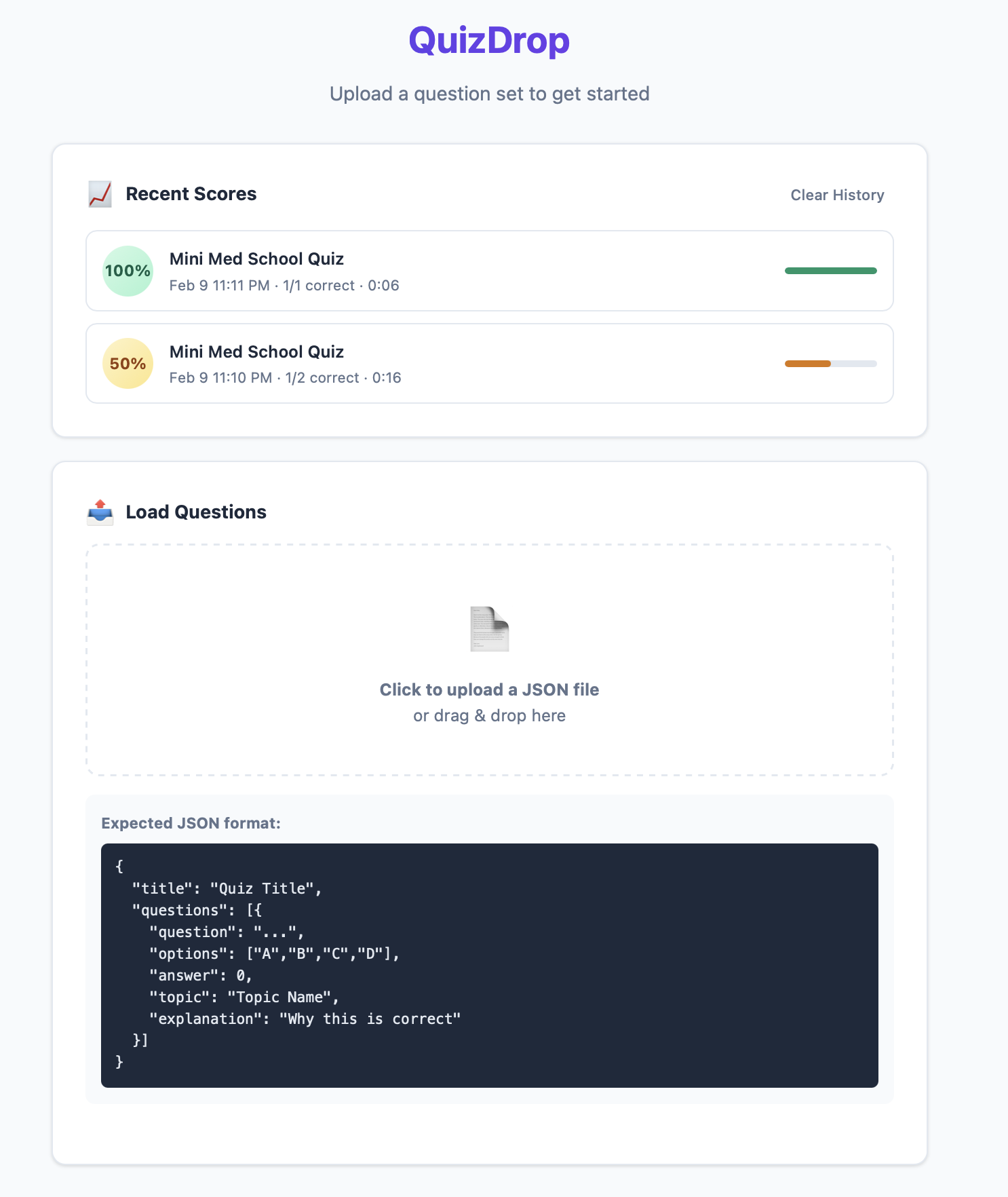
I designed this lightweight quiz app for parents who want to quiz their kids at home. Just download the repo, open quiz.html and upload any question set as JSON, pick topics, and go. No accounts, no internet, no install — just open and drop.
Features
- Upload any question set — drop a JSON file and start quizzing
- Topic filtering — select specific topics to focus each session
- Configurable length — quiz on 5, 10, 20, or all questions
- Optional timer — 30s, 60s, 90s, or 2 min per question (or untimed)
- Shuffle mode — randomize question order each time
- Instant feedback — correct/wrong shown immediately with an explanation
- Score breakdown by topic — see which areas need more review
- Score history — last 5 quiz scores saved across sessions via localStorage
- Retry wrong answers — one-click to drill only the ones missed
- Drag & drop — drop a JSON file onto the upload area
- Works offline — no server or internet needed
- Flexible options — supports 2–6 answer choices per question
Creating Your Own Questions
Create a .json file in this format:
{
  "title": "My Quiz",
  "description": "Optional subtitle shown in the header",
  "author": "Your Name",
  "questions": [
    {
      "id": 1,
      "question": "What organ pumps blood through the body?",
      "options": ["Liver", "Heart", "Kidney", "Lung"],
      "answer": 1,
      "topic": "Human Body",
      "explanation": "The heart is a muscular organ that pumps blood through the circulatory system."
    }
  ]
}
Pro Tip — Generate Questions with AI
You can use AI to create questions from your dataset. Just copy the prompt below into ChatGPT, Claude, or any LLM and you’ll have a quiz-ready JSON file in minutes.
Copy-paste this prompt:
Generate a quiz in JSON format for a [SUBJECT] quiz aimed at [AGE GROUP / GRADE LEVEL].

Include [NUMBER] questions across these topics: [TOPIC 1, TOPIC 2, TOPIC 3].

Each question should have 4 answer choices. Use this exact JSON structure:

{
  "title": "Quiz Title",
  "description": "Short subtitle",
  "author": "Your Name",
  "questions": [
    {
      "id": 1,
      "question": "Question text here",
      "options": ["Choice A", "Choice B", "Choice C", "Choice D"],
      "answer": 0,
      "topic": "Topic Name",
      "explanation": "Brief explanation of the correct answer"
    }
  ]
}

Rules:
- "answer" is the 0-based index of the correct option
- "id" should be a sequential number starting from 1
- Each question must have an "explanation"
- Group questions by "topic"
- Output only valid JSON, no extra text
For example: “Generate a quiz in JSON format for a Grade 4 Science quiz aimed at 9-10 year olds. Include 20 questions across these topics: Human Body, Plants, Weather.”
Tips for Parents
- Start small — 10-question sessions work better than marathon 100-question runs
- Let them pick topics — giving kids control over what they study increases engagement
- Use the timer sparingly — untimed is fine for learning; add a timer when they want a challenge
- Retry wrong answers — the “Retry Wrong Answers” button is the most valuable feature for retention
- Make your own sets — the JSON format is simple enough to write by hand or generate with AI