Sub-Minute Local Loops: Reaching the Cloud Faster with Floci
By Manu Balasree, SRE & Cloud Architect
Run Floci, a free local AWS emulator, in rootless Podman, apply one Terragrunt module to it in seconds, then apply the same code to real AWS. This is what the faster loop buys you, and where the emulator can’t be trusted.
Tested in October 2026 with Floci 2.2.0
Code: github.com/manubalasree/local-first-aws-v1
Minutes, not weeks: what a local AWS target changes
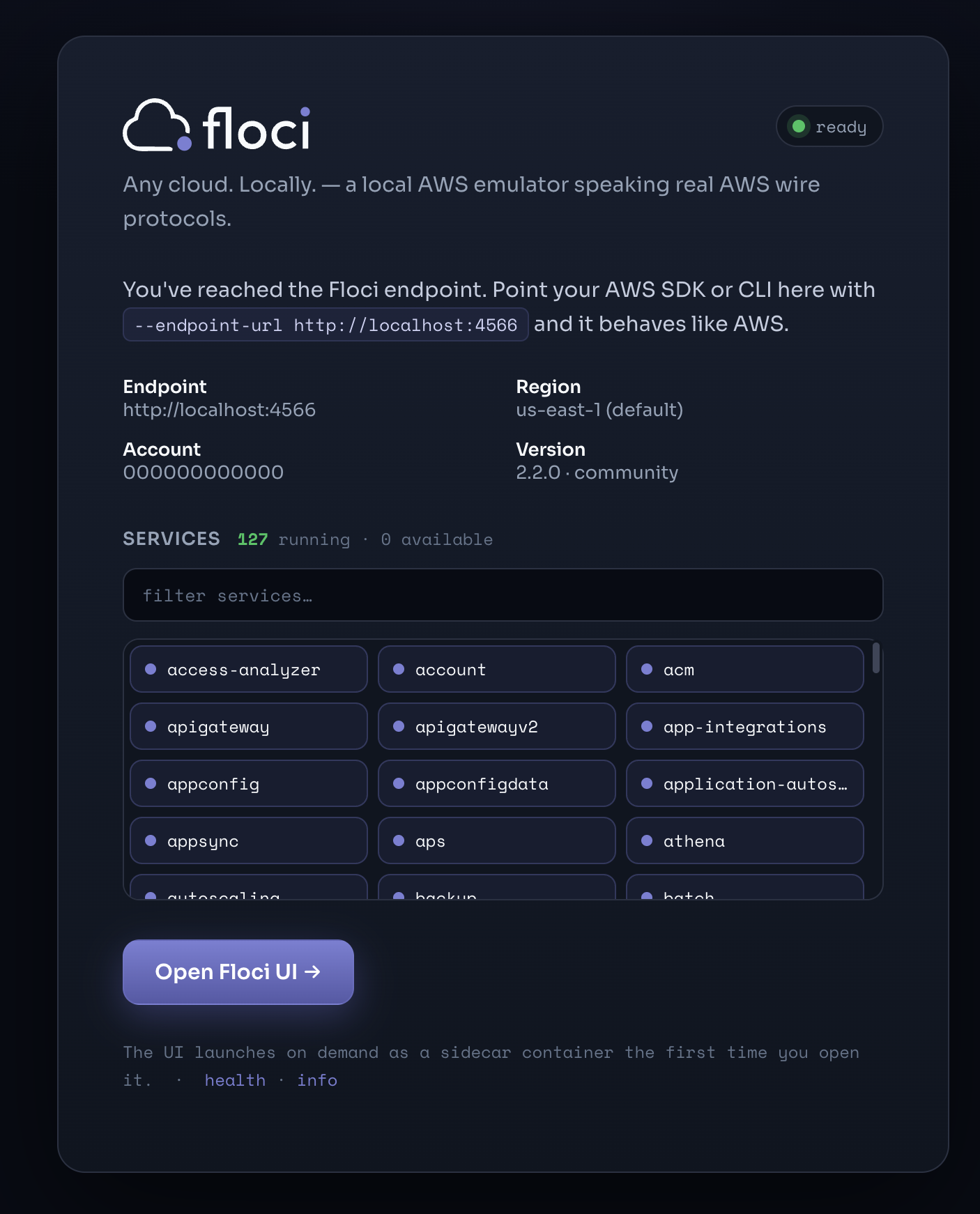
Shared AWS sandboxes are slow in a way that has nothing to do with AWS. Other developers’ stacks are in the account. Teardown needs coordination, and not every place has a teardown policy at all. In my experience a clean rebuild there takes at least a week, often weeks, and sometimes it never happens.
This article is about getting that loop back on your own machine. Floci is a free, MIT-licensed multi-cloud emulator (I only tested the AWS side). One endpoint, no account, no token. I run it in rootless Podman, point one Terragrunt module at it, then apply the same code to real AWS, changing only the environment config.
I used LocalStack on complex setups before. It has since become a single product that requires an account and an auth token, with a free tier for non-commercial use and paid plans beyond that, as LocalStack explains. That was reason enough to look elsewhere.
Here is what the loop looks like on one small module: a private S3 bucket behind CloudFront with an origin access control, seven resources.
| Floci | Real AWS | |
|---|---|---|
| Apply | ~34 s | ~7 min |
| Destroy | ~1 min | ~4 min |
| Full round trip | ~1.5 min | ~11 min |
The full round trip is about 7x faster on Floci. Those are measured on this module, once each, on my setup. Treat them as the shape of the difference, not a benchmark. The 34 seconds is not all Floci: about 27 of them were not CPU time, and I haven’t worked out how much belongs to Terragrunt starting up. The destroy times are approximate. The weeks are my experience, not something I measured here.
The module is a demonstrator. The pattern is the part to reuse. It is not a replacement for AWS, and where it differs is at the end.
The build at a glance
| # | Step | The gotcha |
|---|---|---|
| 1 | Login session for systemctl --user |
Only a real SSH login creates one; testing from su tells you nothing |
| 2 | Floci Quadlet | An arm64-only tag fails to pull on amd64 |
| 3 | State bucket and lock table | The backend region must match env.hcl |
| 4 | Plan the module on Floci | 7 to add; an easy pass that proves little on its own |
| 5 | Apply and browse | The distribution’s hostname has no DNS; send the Host header |
| 6 | Turn on enforcement | An anonymous bucket read returns 200 until you do |
| 7 | Plan again | Not clean after the first create; one more apply fixes it |
| 8 | Prod preconditions | A clean shell, a budget alarm made before the first apply |
| 9 | Prod apply and verify | About 7 minutes; probing from a laptop has its own traps |
| 10 | Teardown | Reverse order, and only delete buckets you can name |
Floci in rootless Podman
laptop ──────────── http :4566 ────────────▶ podman-vm (Ubuntu 26.04, on a 5950X running Incus)
  │  terragrunt                                 rootless Podman
  │                                              └─ floci  (2.2.0)
  └────────── https ───────────────────────▶ real AWS
I ran this on a 5950X desktop running Incus, in a VM called podman-vm on Ubuntu 26.04.
Podman’s Quadlet turns declarative container files into systemd services. Because it runs rootless under your user account, systemd needs a persistent login session for that user, and that is where I lost the first hour.
- Fix the session first. For
systemctl --userto work over SSH and keep running after you log out, you need PAM and D-Bus user sessions configured (UsePAM yes,dbus-user-session,libpam-systemd) and linger enabled withloginctl enable-linger <user>.1 - Run Floci. The service is defined in
podman/floci.container. Pin a specific image tag, and check that it supports your CPU architecture.2 - A note on
User=root. Under rootless Podman, root inside the container maps to your unprivileged user on the host.3
[Unit]
Description=Floci AWS emulator

[Container]
ContainerName=floci
Image=docker.io/floci/floci:2.2.0
User=root
PublishPort=4566:4566
Volume=%t/podman/podman.sock:/var/run/docker.sock
Volume=floci-data:/data
Environment=FLOCI_DEFAULT_REGION=ca-central-1
Environment=FLOCI_HOSTNAME=192.168.2.209
Environment=FLOCI_BASE_URL=http://192.168.2.209:4566
Environment=FLOCI_STORAGE_MODE=hybrid
Environment=FLOCI_STORAGE_PERSISTENT_PATH=/data
Environment=FLOCI_SERVICES_UI_ENABLED=false
Environment=FLOCI_SERVICES_S3_ENFORCE_AUTH=true

[Service]
Restart=always

[Install]
WantedBy=default.target
The module: one codebase for Floci and AWS
The configs and module quoted here are in the repo: github.com/manubalasree/local-first-aws-v1
To check that the same infrastructure code can run against Floci and deploy to real AWS, I wrapped the module in Terragrunt.
Terragrunt keeps the Terraform module unaware of its target environment. The environment-level config generates the provider block, and for the local environment it points the endpoints at Floci (http://<floci-host>:4566, passed in through FLOCI_ENDPOINT). The module’s own HCL never has to change.4
Excerpt from root.hcl:
locals {
  env       = read_terragrunt_config(find_in_parent_folders("env.hcl")).locals
  use_floci = local.env.use_floci
  # …

  # endpoints → Floci, skip_* flags
  provider_local = <<-EOF
    …
  EOF

  provider_prod = <<-EOF
    provider "aws" {
      region              = "${local.region}"
      allowed_account_ids = ["${local.account_id}"]   # refuses any other account
      …
    }
  EOF
}

generate "provider" {
  path      = "provider.tf"
  if_exists = "overwrite_terragrunt"
  contents  = local.use_floci ? local.provider_local : local.provider_prod
}
Three things to look at. use_floci is the switch, and each environment’s env.hcl sets it. allowed_account_ids is the guard on the prod side: Terraform refuses to run against any other account, including Floci’s 000000000000. And the ternary on the last line is fine because both branches are strings; the one that failed (see the footnote) had an object on one side and an empty one on the other.
The demo module is small: seven resources and one data source. A private S3 bucket holds the static page, CloudFront serves it, and an Origin Access Control (OAC) is the only way in.
The key part is the condition in the bucket policy statement:
condition {
  test     = "StringEquals"
  variable = "AWS:SourceArn"
  values   = [aws_cloudfront_distribution.site.arn]
}
Without that condition, the policy trusts the CloudFront service principal for any distribution in any AWS account. With it, only your distribution can read the bucket.
Three design decisions
- No S3 website hosting. The bucket stays private. Setting
default_root_object = "index.html"on CloudFront lets root requests resolve without a public website endpoint. - A custom cache policy. The module defines its own cache policy resource rather than depend on AWS managed policy IDs, which I didn’t try on Floci.
force_destroy = true. Useful for fast teardowns on a throwaway run (I set it on prod too, for the teardown). Leave it out of anything persistent.
Applying to Floci and checking the result
cd live/local/static-site
terragrunt plan
terragrunt apply
The apply took about 34 seconds and created all 7 resources.
Floci generates a synthetic *.cloudfront.net domain name that doesn’t resolve in DNS. To query it locally, send the request to Floci’s endpoint and pass the distribution’s name in the Host header:
curl -H "Host: $(terragrunt output -raw distribution_domain_name)" http://192.168.2.209:4566/
That returned HTTP 200 with index.html: CloudFront serving a private S3 bucket without leaving my network.
Two caveats before calling it a success
Emulators replicate APIs, but runtime behaviour differs in small ways:
- Bucket policy enforcement. On Floci, evaluating bucket policies has to be switched on. AWS enforces them by default.5
- Drift after the first create. The first
terragrunt planafter the create wasn’t clean: two changes. Floci doesn’t store the provider’sdefault_tagson a CloudFront distribution when it creates one, but does when it updates one, so after one more apply the plan saidNo changes. Real AWS was clean on the first plan.6
A green local plan proves your syntax and broad topology. It does not prove how the real service will behave.
Promoting to AWS: same command, different directory
The module doesn’t change by a single line. You switch to the production environment’s directory.
Before the first apply on AWS, three things need to be in place:
- Remote backend. The state bucket and DynamoDB lock table must exist in the same region that your production
env.hcldeclares.7 - A budget alarm, set before the apply. An AWS Budget notifies you; it does not cap spend, and it lives under AWS Budgets, not CloudWatch Metrics. An empty CloudWatch dashboard won’t warn you about runaway costs.
- A clean shell. The worst case with a local emulator is leaking its endpoint into a prod run, or the reverse. Start from a clean slate:
unset FLOCI_ENDPOINT AWS_ENDPOINT_URL AWS_ACCESS_KEY_ID AWS_SECRET_ACCESS_KEY AWS_SESSION_TOKEN

aws sso login --profile <profile>
export AWS_PROFILE=<profile>
export AWS_ACCOUNT_ID=<account-id>

# Sanity checks
aws sts get-caller-identity
env | grep -i -E 'floci|endpoint'
sts get-caller-identity must show your real account ID, never 000000000000, and the grep should print nothing.
Inspecting the plan
cd live/prod/static-site
terragrunt plan
Before approving, check four things:
- The diff is exactly 7 to add, 0 to change, 0 to destroy.
- The region is correct.
- Tags include
environment = "prod"and the matching project keys. - The generated AWS provider block contains no Floci endpoints and no
skip_*emulation flags.
The apply: waiting on the real control plane
time terragrunt apply
It took 7m 03s of elapsed time and only 3.73s of local CPU. The rest was waiting. Terraform polls the AWS control plane until the CloudFront distribution finishes propagating to the edge and reaches Deployed. Floci reports Deployed immediately.
Checking against the real edge
Run the same smoke tests you used on Floci:
D=$(terragrunt output -raw distribution_domain_name)

# HTTPS probe
curl -sI https://$D/

# HTTP redirect probe
curl -sI http://$D/

# Direct origin bypass check
curl -s -o /dev/null -w "%{http_code}\n" https://<bucket>.s3.<region>.amazonaws.com/index.html

# Idempotency check
terragrunt plan
The results show what the emulator leaves out:
- CloudFront headers. The response carries real edge metadata:
x-cache: Miss from cloudfront,via: ...,x-amz-cf-popandx-amz-cf-id. - HTTPS enforcement. Plain HTTP returned
301 Moved Permanently. Floci answered200. - Origin isolation. The direct S3 URL returned
403 Forbidden, which confirms the OAC and bucket policy are doing their job.8 - Idempotency. The immediate follow-up
terragrunt plansaidNo changes.
Teardown runs in reverse. terragrunt destroy on prod took about 4 minutes. Then the state bucket and lock table go, by hand, last, because Terraform needs them to run the destroy at all. The state bucket is versioned, so empty every version first, and read the bucket name back before you delete anything. An account usually holds other buckets you don’t want to meet by accident.
Where Floci and AWS differ
Each row was observed on Floci 2.2.0 and real AWS. Treat it as one run, not a survey.
| Area | Floci | Real AWS |
|---|---|---|
| Apply time | ~34 s | ~7 min |
| CloudFront response headers | S3 headers only | x-cache, via, x-amz-cf-pop, x-amz-cf-id |
| HTTP to HTTPS | 200, no redirect |
301 |
| Anonymous direct bucket read | 200 by default; 403 with enforcement on |
403 |
Anonymous ListBuckets |
200, lists bucket names, even with enforcement on |
307 redirect to an AWS marketing page, no bucket data |
Unknown Host header |
Falls through to the S3 endpoint | 403 |
| First plan after create | Two changes (tags); clean after one more apply | No changes |
| Encryption header | Not seen | x-amz-server-side-encryption: AES256 |
By default Floci accepts any non-empty credentials, and in my run anonymous ListBuckets returned bucket names even with enforcement on. If Floci is reachable from other machines, treat anything on its port as readable by them.
Not covered here: a CI workflow, publishing the module as its own tagged repo, a custom domain or ACM certificate, wildcard DNS so a browser can reach Floci, and anything multi-region. I haven’t tested use_lockfile on Floci, so I can’t say whether the lock table was necessary. The encryption-header row rests on one response.
I tested seven resources and a handful of services, so I can’t say how Floci behaves on a project with more moving parts. The licence is open, and the nightly tags show a build almost every day from 16 September to 7 October. That is a reason to be optimistic, not a finding.
What I’d do about it is pin the version and keep a small contract suite that runs the same checks against real AWS on every upgrade. I haven’t built that suite yet.
Floci isn’t a substitute for testing on real AWS. What it gave me was a full apply-and-destroy loop of about a minute and a half instead of about eleven, and a clear list of what only AWS can tell me. I still apply to AWS before anything matters.
Code: the code for this article is in github.com/manubalasree/local-first-aws-v1.
-
No user session. The initial attempt failed with “Failed to connect to user scope bus”. The culprit was
sshdrunning withUsePAM no, sopam_systemdnever instantiated a user session,/run/user/1000didn’t exist, and the user D-Bus was absent. The fix: setUsePAM yes(track down conflicting settings viagrep -rn -i usepam /etc/ssh/sshd_config /etc/ssh/sshd_config.d/, remembering thatsshdevaluates the first value it hits and drop-in files load alphabetically), installdbus-user-sessionandlibpam-systemd, runloginctl enable-linger <user>, test your configuration withsshd -t, restart the daemon, and connect over a genuine SSH session (subypasses PAM session creation and hides session-level bus issues). ↩ -
The arm64-only tag trap. I initially pulled
2.2.0-baseline, which failed on an amd64 machine with “no image found in image index”. Its manifest list only bundled a singlelinux/arm64binary alongside an attestation layer. You can confirm supported platforms before pulling usingpodman manifest inspect <image>:<tag> | grep -B1 -A2 '"architecture"'. The standard2.2.0tag includes both amd64 and arm64 images. ↩ -
User=rootand host-socket permissions. Under rootless Podman, UID 0 inside the container is subuid-mapped to your regular unprivileged user on the host, so any bind-mounted socket (owned by your host UID) naturally shows up as root-owned inside. ForcingUser=ubuntumay leave the mounted Podman/Docker socket unreadable to the process; I haven’t tested that, orUserNS=keep-idas the alternative. While the blast radius is still limited to the unprivileged host account, anyone with access to that inside-the-container socket can control all containers running under that host user. ↩ -
HCL type mismatches with empty maps. An initial ternary expression like
cond ? { ... } : {}failed validation because Terraform enforces identical types across conditional branches; an object containing specific attributes does not match the type signature of an empty map. A dynamic comprehension avoids the strict type check:{ for k, v in local.backend_local : k => v if local.use_floci }. ↩ -
Floci bucket-policy enforcement is opt-in. Out of the box, an unauthenticated direct curl to a private Floci S3 bucket returned
200 OK—Floci accepted the bucket policy at the API level but declined to evaluate it. AddingFLOCI_SERVICES_S3_ENFORCE_AUTH=trueto the Quadlet configuration forced Floci to return the expected403 Forbiddenon direct origin calls, while still allowing CloudFront and Terraform (using dummy credentials) to interact with it normally. ↩ -
Remote backend gotchas. State backends are strictly bound to the environment’s target region. Pointing
env.hcltous-east-1while the lock table was provisioned inca-central-1resulted in immediateResourceNotFoundExceptionerrors. Additionally, Terraform 1.16.5 warned thatdynamodb_tableis deprecated in favour ofuse_lockfile(native S3 locking, available since 1.10), and I haven’t verified that Floci’s S3 emulation supports it. ↩ -
Validation traps when probing S3 via curl. Two subtle pitfalls can mislead smoke tests:
- Sending an unauthenticated request to an S3 endpoint in the wrong region yields a
301 Moved Permanentlyredirect rather than an origin403, which looks like an error but isn’t an authorization test. - Passing
-L(follow redirects) on an S3 root endpoint can resolve to HTTP200by following the redirect out to the public aws.amazon.com/s3 landing page.
Always print
%{url_effective}and verify the target before trusting the response code. ↩ - Sending an unauthenticated request to an S3 endpoint in the wrong region yields a